How to Declutter Digital Photos: Reducing Cognitive Load and Mental Noise
Let’s be real: Raise your hand if your digital photo situation is a total disaster. You probably have thousands of images scattered across your phone, your laptop, and maybe even an old hard drive from 2010 that you’re afraid to plug in.
If you’re ready to declutter digital photos, it’s usually because you’re tired of that “Storage Almost Full” message popping up at the worst possible time. But here’s the thing I’ve realized: that mess isn’t just an annoying tech glitch. It’s actually a huge source of environmental friction.
Every time you scroll past twenty blurry sunsets or a dozen screenshots of recipes you’ll never actually make, your brain hits a wall of decision fatigue. It’s like walking into a kitchen with counters piled high with mail—you can’t help but feel a little bit “heavy” even when you’re trying to relax. That’s mental noise. All that digital clutter is quietly draining your battery. This constant background noise drains your daily capacity for joy.
When we figure out the best way to backup photos, we aren’t just making room for more pictures; we’re giving our nervous systems a sensory reset so we can actually enjoy the memories we keep.
Let’s simplify this.
The Hidden Cost of Digital Friction
You know that specific “heavy” feeling when your kitchen is a disaster and you can’t even think about what to make for dinner? Digital clutter works the same way on your brain.
When your phone is overloaded with thousands of random screenshots and blurry duplicates, it creates a constant stream of mental noise. Studies actually show that this kind of digital mess increases stress and leads to major decision fatigue. Essentially, a disorganized digital space drains your energy, making every other task in your day feel just a little bit harder than it needs to be.
But here’s the good news: when you declutter digital photos, you aren’t just cleaning up a screen; you are creating mental clarity. Once your photos are organized and easy to find, that low-level background stress disappears. You stop wasting time searching for that one vacation picture you know exists, and you free up that mental capacity for the things that actually bring you joy.
Step 1: RELEASE the Visual Noise with a Quick “Cull”
The first step to declutter digital photos is culling—which is just a fancy way of saying “getting rid of the junk”. Don’t worry, we aren’t going full Marie Kondo here. We are just releasing the visual noise so your brain has less data to process every time you open your camera roll.
Think of it as a lightning-fast strategy to keep the memories and trash the “digital static.” Go through your recent photos and hit delete if it is:
- Blurry or out of focus.
- A duplicate (pick one, trash the rest).
- A weird face (unless it’s funny enough to keep).
- A random screenshot of a recipe or link you’ve already used.
Pro-Tip: Do this in tiny bursts. Spend five minutes to delete duplicate photos, while you’re waiting for coffee or sitting through a commercial break. Just promise me you won’t do it at the dinner table—keep that time for the real-life memories.
Step 2: RECLAIM Your Capacity with a Simple Storage System
Once the junk is gone, we need to protect your capacity by making sure the “keepers” have a home. Nothing creates decision fatigue faster than scrolling through 5,000 images to find one specific vacation photo. A solid digital photo storage system prevents that “search fatigue” that makes technology feel heavy.
I recommend the 3-Location Backup Rule to keep things light:
- Cloud Storage: Use a service like Google Photos or iCloud for automatic backups. It gives you peace of mind knowing your memories are safe even if your phone goes for a swim.
- Simple Folders: Organize by date or event (e.g., 2024 > Beach Trip). Keep the names simple so you don’t have to guess later.
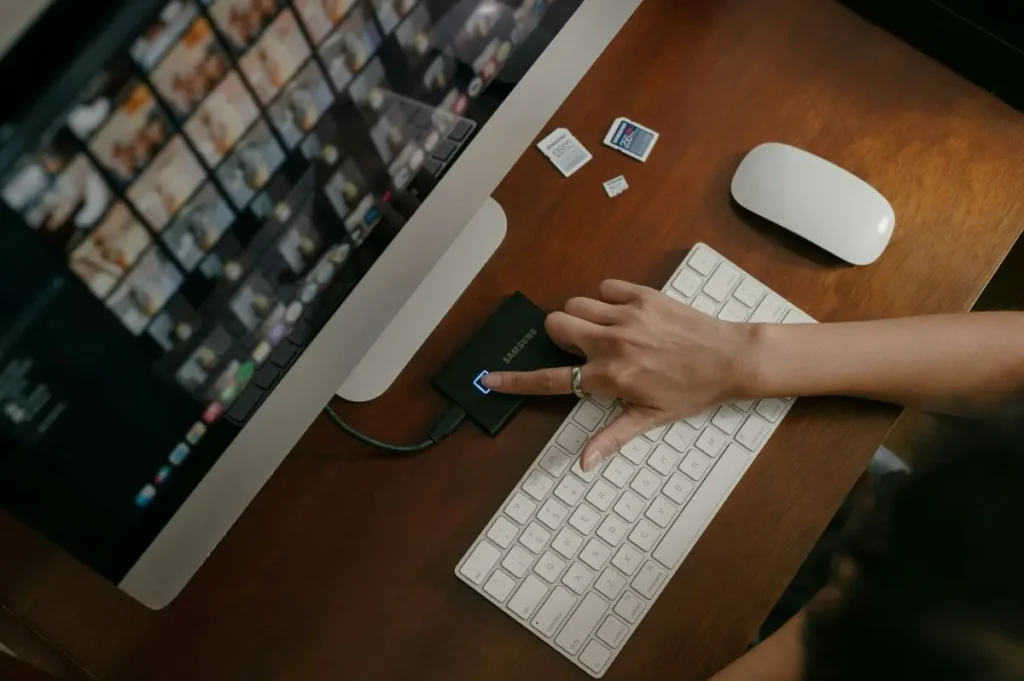
- External Hard Drive: If your cloud storage is getting full and you don’t want to pay for more space, move older years to a physical hard drive. It’s like a digital attic for long-term storage.
Learning how to organize photos on a phone doesn’t have to be a weekend-long project; it’s actually about creating a simple, low-friction system that stops the ‘storage full’ panic before it starts.”
Step 3: TAG IT So You Can Find It (Without the Guesswork)
Ever tried searching for a photo and ended up scrolling through 5,000 images before giving up? That is the definition of mental noise. Using tags and metadata is a small way to make your photos instantly searchable so you can find what you need without the stress.
It only takes a few seconds, but it saves you hours of decision fatigue later:
- Tag by Person: Most apps let you name faces—tagging “Grandma” once makes an instant digital album.
- Search by Event: If you’ve tagged a location or date, you can just type “Christmas 2022” and boom—there it is.
- Instant Search: Think of this as your “digital filing cabinet”—it keeps the heavy lifting off your brain.
Step 4: Actually SHARE the Photos (Because That’s Where the Joy Is)
If you’re the designated family photographer, you probably have all the best shots—but nobody else knows they exist! Sharing is how we move from “organizing” to actually enjoying. When we share, we turn a private digital mess into a connection.
- Create a Shared Album: Use Google Photos or iCloud to let everyone grab what they want—no more “Can you text me that?” requests.
- Make a Quick Photo Book: Use a service like Chatbooks or Shutterfly. It turns that digital clutter into something you can actually hold.
- Email a “Memory of the Month”: Send one great throwback to the family. It’s a low-effort way to stay connected and remind everyone you’re keeping the memories alive.
Step 5: REWIRE Your Habits with Digital Autopilot
The goal is to stop the accumulation of noise before it starts. Instead of a massive cleanup every six months, we want to create a low-friction habit that keeps your phone feeling clear.
- Turn on Auto-Backup: Let your phone do the heavy lifting for you so you never have to wonder if things are saved.
- Micro-Declutter: Spend five minutes a week tidying up your recent shots. It turns a “mountain” of a task into a small, manageable molehill.
- Set a Photo Ritual: Once a month, grab a coffee, cozy up, and do a final tidy-up while reliving your favorite moments. If you find yourself losing focus, try using the 5-4-3-2-1 Technique to stay on track.
If organizing your photos feels like a massive hurdle, you might be carrying more than just digital weight. Check out my post on Reducing Cognitive Load in Midlife to see how to lower the volume on the other sources of noise in your life
Final Thoughts: Keep the Joy, Lose the Digital Chaos
When you declutter digital photos, you are doing more than just freeing up gigabytes; you are clearing out mental noise. A clean digital space leads to a calmer brain, giving you more capacity to actually enjoy the life you are so busy capturing.
No more digging through endless, chaotic photo albums to find the good stuff. Just simple, streamlined memories ready to relive whenever you want.
Instead of feeling that ‘ugh’ moment every time you open your camera roll, imagine scrolling through a streamlined collection of memories that actually makes you smile.
Now go forth and be intentional–declutter those photos! Your future self will thank you.